
TinyPNG
Smart lossy compression tool reducing WebP, PNG, and JPEG file sizes by up to 70%.
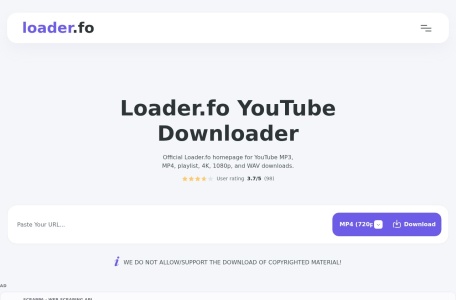
Fast online YouTube video, playlist, and audio downloader supporting 4K MP4, 320kbps MP3, and lossless WAV/FLAC formats.
Loader.fo is a high-speed web utility engineered for downloading and converting YouTube multimedia streams. In addition to single video processing, Loader.fo stands out for its native support for YouTube playlist parsing, allowing users to select and batch-download entire video queues into MP4 video (up to 4K resolution) or extract pristine audio across formats including MP3, M4A, AAC, FLAC, and uncompressed WAV directly in the browser.
| Feature / Capability | Loader.fo | Standard Web Downloaders | Desktop CLI Utilities (yt-dlp) |
|---|---|---|---|
| Playlist Support | Full visual playlist parsing | Single video only | Command-line parameter flags required |
| Lossless Audio Formats | WAV, FLAC, AAC, MP3, M4A | MP3 only (often re-compressed) | Depends on local ffmpeg binaries |
| Max Video Resolution | Up to 4K / 2160p 60fps | Frequently throttled at 720p/1080p | Source maximum (up to 8K) |
| Setup Complexity | Zero setup (Instant web app) | Zero setup | Requires Python, terminal & dependencies |
| Mobile Compatibility | Full iOS & Android browser support | Often riddled with spam redirects | Not available on mobile OS |
| Category | Online Converters / Premium Link Generators |
|---|---|
| Pricing Model | 100% Free (Web utility) |
| Supported Video Formats | MP4 (360p to 4K), WEBM |
| Supported Audio Formats | MP3 (Up to 320kbps), M4A, AAC, FLAC, WAV |
| Batch & Playlists | Supported (Multi-item playlist parsing) |
| Account / Sign-Up | None required (No registration) |
| Official Website | https://loader.fo/ |
Yes. Loader.fo automatically identifies playlist links, indexes the individual tracks, and allows you to download playlist items without copying links one by one.
Loader.fo supports a wide array of audio outputs including standard MP3 (up to 320kbps), M4A, AAC, and uncompressed lossless formats like FLAC and WAV.
Yes. Loader.fo is completely free with no registration or payment required, operating over secure HTTPS with no mandatory browser extensions.
Yes. Loader.fo is optimized for mobile browsers, enabling direct downloads on Android Chrome and iPhone/iPad Safari via the iOS Files manager.