
Neodebrid
Torrent Downloader and Debrid service to download from all filehosts
Free online YouTube video downloader, 4K media extractor, and high-bitrate MP3 converter with no registration required.
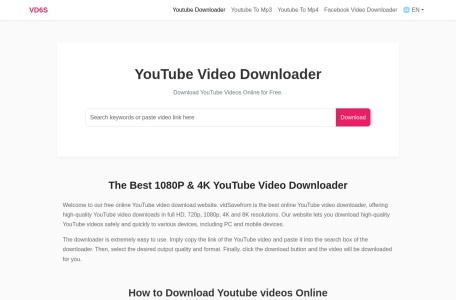
VD6S (also operating as vidSavefrom) is a high-speed, free web-based media downloader and format converter. Engineered for convenience and cross-device performance, the platform allows users to fetch and save streaming videos from YouTube, Facebook, Instagram, and Twitter (X) in resolutions up to 1080p Full HD, 4K, and 8K, or convert video soundtracks into standalone high-bitrate MP3 audio files directly within any modern web browser without requiring desktop software or account signups.
| Metric / Feature | VD6S (vidSavefrom) | Screen Recording Tools | Browser Extensions |
|---|---|---|---|
| Output Fidelity | Direct source bitrate (up to 4K/8K) | Degraded by display refresh & encoding | Often capped at 720p due to store rules |
| Audio Extraction | Lossless direct MP3/M4A conversion | Picks up microphone & system alerts | Limited or requires external codecs |
| Processing Speed | Instantaneous server-side parsing | Requires 1:1 real-time playback duration | Varies; heavy memory usage |
| Platform Support | Browser-agnostic (PC, Mac, Mobile) | OS-specific software installation | Desktop browsers only (Chrome, Firefox) |
| Software Footprint | Zero installs, 100% cloud web app | Gigabytes of disk space and memory | Security risks and permission access |
| Category | Online Converter / Premium Link Generator |
|---|---|
| Pricing Model | 100% Free (Web-based utility) |
| Supported Resolutions | 360p, 480p, 720p, 1080p, 4K, 8K |
| Supported Audio Formats | MP3 (Up to 320 kbps), M4A |
| Registration Required | No (Zero login or registration) |
| Official Website | https://vd6s.com/ |
Yes. VD6S provides unlimited video and audio downloads without charging subscription fees or demanding registration.
Yes. When the original YouTube video was uploaded in 1440p, 4K, or 8K, VD6S detects and preserves the high-definition stream options for download.
Yes. VD6S is fully optimized for mobile web browsers, allowing iOS users (via Safari) and Android users (via Chrome) to save media directly to their device storage or Files app.
No daily download caps or queue limitations are imposed on standard usage.