What is Cursor?
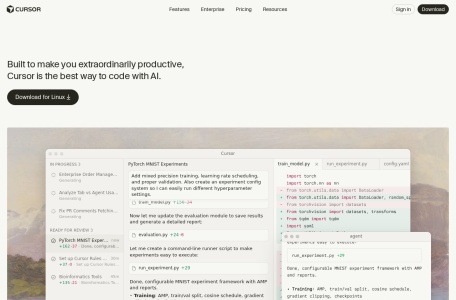
Cursor is a freemium (free tier, pro subscription for fast frontier models) ai tools developed by Anysphere, Inc.. It is an AI-powered code editor forked from VS Code. It indexes entire local code repositories to provide contextual code completions, multi-file code modifications (Composer mode), terminal error debugging, and conversational codebase exploration.
Core Technical Capabilities
- Composer Multi-File Generation: Plans, creates, and refactors multiple source files simultaneously based on a single natural language instruction.
- Full Codebase Indexing: Calculates local vector embeddings for project source files to retrieve accurate function signatures and type definitions.
- Cursor Tab Predictive Autocomplete: Predicts multi-line edits and cursor movements ahead of keystrokes based on recent developer actions.
- Frontier Model Selection: Allows users to switch dynamically between Claude 3.5 Sonnet, GPT-4o, and DeepSeek R1 for code generation.
Practical Workflows & Use Cases
- Complex Codebase Refactoring: Update API signatures, rename types, and modify call sites across dozens of files in a single unified diff view.
- Rapid Feature Prototyping: Generate end-to-end backend routes and React frontend components from natural language architectural specs.
- Terminal Error Diagnosis: Inspect runtime stack traces directly in the integrated terminal to generate immediate corrective patches.
Cursor vs Alternatives
When selecting tools in the ai tools ecosystem, developers frequently compare Cursor against alternative solutions:
- Windsurf: Codeium agentic IDE offering Cascade flow tracking, while Cursor leads in widespread VS Code extension compatibility.
- GitHub Copilot: Standard IDE extension with autocomplete and chat, lacking Cursor’s deep multi-file Composer editing workflows.
- Aider: Terminal-based git pairing CLI, whereas Cursor is a complete desktop GUI editor.
Technical Specifications
| Category | AI Tools |
|---|---|
| License | Freemium (Free tier, Pro subscription for fast frontier models) |
| Primary Languages | Desktop App (Windows, macOS, Linux) |
| Official Source | https://www.cursor.com |
| Repository | https://github.com/getcursor |
Frequently Asked Questions
Can I import my existing VS Code extensions and settings into Cursor?
Yes. Cursor is built as a direct fork of VS Code and includes a one-click migration tool that imports all keybindings, extensions, themes, and configuration files.
Does Cursor upload my proprietary code to AI training sets?
No. Cursor includes Privacy Mode, which guarantees your code and repository data are never stored or used to train AI models.
What is the difference between Cursor Free and Cursor Pro?
Cursor Free includes 2,000 completions and 50 slow premium model requests per month. Cursor Pro ($20/month) provides 500 fast premium requests and unlimited completions.